OpenClaw 多代理編排指南:Gateway 路由(2026)
簡介
單個 AI 助手足以應對快速問答。生產場景——編碼、維運告警、家庭群聊、研究——則需要多個人格,且彼此不共用工作階段、憑證或工具權限。OpenClaw 多代理編排透過單一 Gateway 控制平面與多個隔離 agent 解決這一問題:每個 agent 擁有獨立工作區、認證與工作階段儲存。
OpenClaw 是本機優先的個人 AI 助手(截至 2026 年 GitHub 星標 37.5 萬+),以 Gateway 連線 WhatsApp、Telegram、Discord、Slack 等頻道與 agent 大腦。官方檔案中的多代理路由:入站訊息經 binding 表匹配,落到正確的 agentId,互不串線。
本指南涵蓋:
- 磁碟上 OpenClaw「agent」實際包含什麼
- bindings 如何按 peer、帳號、頻道路由訊息
- 新增第二個 agent 的分步操作手冊
- 多代理編排如何超越路由(委派、工作流)
- 何時用原生 Gateway 路由 vs 外部編排器專案
若你已使用 Claude Code 外掛,例如用於開發工作流的 Obra Superpowers,或用於倉庫地圖的 Understand Anything,OpenClaw 處於不同層級:常駐助手 + 頻道路由,而非僅限 IDE 的編碼。
一個 OpenClaw agent 包含什麼
~/.openclaw/agents/<agentId>/ 下的隔離工作階段儲存。
| 组件 | 路徑 / 產物 | 用途 |
|---|---|---|
| 工作區 | ~/.openclaw/workspace-<name> 或自定義 | 預設 cwd;存放 SOUL.md、AGENTS.md、USER.md、技能 |
| Agent 目錄 | ~/.openclaw/agents/<agentId>/agent | 認證設定、模型注册表、按 agent 設定 |
| 工作階段 | ~/.openclaw/agents/<agentId>/sessions | 聊天历史與路由状态 |
| 設定 | ~/.openclaw/openclaw.json | Gateway、agents.list、bindings、頻道 |
關鍵規則:切勿讓兩個 agent 共用同一 agentDir——會導致認證與工作階段衝突。每個 agent 應有獨立目錄與工作區。
來源:OpenClaw 多代理檔案。
agentId、accountId 與 binding
| 概念 | 含義 |
|---|---|
agentId | 一個大腦(工作區 + 工作階段 + 認證) |
accountId | 一個頻道登入(如 WhatsApp 的 "personal" vs "biz") |
binding | 規則:匹配 (channel, accountId, peer, …) → 路由到 agentId |
路由是確定性的:最具體匹配優先;peer 級規則優於頻道級預設。
Gateway 架構(控制平面)
入站訊息 (WhatsApp / Slack / …)
        │
        ▼
   OpenClaw Gateway
        │
        ├─ 載入 bindings(先匹配者優先)
        ├─ 解析 agentId
        └─ 派發到 agent 工作區 + 工作階段
                │
                ▼
        LLM + 工具 + 技能(按 agent 白名單)
Gateway 不是产品本身——它是路由器與工作階段管理器。每個 agent 按自己的工具策略(agents.list[].tools.allow/deny)執行,並可選用沙箱(如每 agent 設定 sandbox.mode: "all")。
Agent 間訊息預設關閉:
tools: {
  agentToAgent: {
    enabled: false,
    allow: ["home", "work"],
  },
}
僅在明確需要人格間委派時啟用。allowlist 模式見多代理檔案。
設定手冊:新增第二個 agent(7 步)
步驟 1 — 安裝或更新 OpenClaw
按 github.com/openclaw/openclaw 官方安裝器操作。驗證 CLI:
openclaw --version
步驟 2 — 建立新的隔離 agent
openclaw agents add coding
將建立工作區檔案與 ~/.openclaw/agents/coding/。可為其他人格重複(social、alerts 等)。
步驟 3 — 列出 agent 與 bindings
openclaw agents list --bindings
確認每個 agentId 擁有唯一的 agentDir 與工作區路徑。
步驟 4 — 連線頻道帳號(範例:WhatsApp)
openclaw channels login --channel whatsapp --account work
啟動 Gateway 前為每個手機/帳號完成綁定。憑證預設位於 ~/.openclaw/credentials/whatsapp/<accountId>。
步驟 5 — 編輯 openclaw.json 中的 bindings
新增 agents.list 條目,並將帳號路由到 agent(JSON5):
{
  agents: {
    list: [
      { id: "main", default: true, workspace: "~/.openclaw/workspace-main" },
      { id: "coding", workspace: "~/.openclaw/workspace-coding" },
    ],
  },
  bindings: [
    { agentId: "main", match: { channel: "whatsapp", accountId: "personal" } },
    { agentId: "coding", match: { channel: "whatsapp", accountId: "work" } },
  ],
}
順序很重要:將 peer 專用規則放在頻道級 accountId: "*" 回退規則之上。
步驟 6 — 重啟 Gateway 並探測頻道
openclaw gateway restart
openclaw channels status --probe
在每個帳號傳送測試訊息;確認工作階段隔離(agent:coding:… vs agent:main:…)。
步驟 7 — 可選:按頻道拆分模型
WhatsApp 用快速模型,Telegram 用大模型:
bindings: [
  { agentId: "chat", match: { channel: "whatsapp", accountId: "*" } },
  { agentId: "opus", match: { channel: "telegram", accountId: "*" } },
]
每個 agent 可獨立設定 model: "anthropic/claude-sonnet-4-6"(或你的提供商)。
多代理編排模式
路由(Gateway 內建)回答:哪則訊息由哪個 agent 處理?
編排回答:多個 agent 如何協作完成同一目標?
| 路由 | 編排 | |
|---|---|---|
| 回答問題 | 入站訊息 → 哪個 agentId | 多 agent 如何協作完成目標 |
| 典型實作 | Gateway bindings | agentToAgent、外部編排器外掛 |
模式 A — 僅原生路由(建議首選)
適用於:不同人群、不同頻道、不同人格。無需額外軟體。
| 場景 | Binding 策略 |
|---|---|
| 工作 vs 個人 WhatsApp | 不同 accountId → 不同 agentId |
| 某 DM 需要「深度」模型 | peer.kind: "direct" + E.164,置於頻道規則之上 |
| Discord 編碼頻道 | guildId + 頻道 id → coding agent |
| 家庭群 @ 提及 | 專用 agent + groupChat.mentionPatterns |
模式 B — Agent 間委派
啟用帶顯式 allowlist 的 tools.agentToAgent。一個 agent 可拉起或向另一個發訊息處理子任務——仍在 OpenClaw 工作階段模型內。適用於「協調者」人格需要分派研究或編碼的場景。
模式 C — 外部編排器外掛
社群專案在 OpenClaw 之上增加工作流圖:
| 專案 | 風格 | 最適合 |
|---|---|---|
| openclaw-orchestrator | 自适應 LLM 規劃器 + 仪表板 | 開放目標、動態下一步 |
| openclaw-orchestrator(視覺化) | 拖曳流程圖、審批節點 | 合規流程、並行分支 |
| open-claw-code | 分層編碼 agent(主控 + 專家) | 多倉庫工程與對等訊息 |
這些不能替代 Gateway bindings——它们在路由將工作階段送达之後協調 agent。
推薦路徑:
- 若只需分離 WhatsApp/Discord 身份 → 模式 A(僅 bindings)。
- 若單使用者觸發多步驟、多角色專案 → 模式 B 或 C。
- 若需要 IDE 中心化 TDD 工作流 → 搭配 Obra Superpowers,而非單獨依賴 OpenClaw。
安全:按 agent 沙箱與工具
不可信 agent(如家庭群機器人)應使用沙箱 + 工具 deny 清單:
{
  id: "family",
  sandbox: { mode: "all", scope: "agent" },
  tools: {
    allow: ["read", "sessions_list", "sessions_history"],
    deny: ["write", "edit", "apply_patch", "browser", "exec"],
  },
}
tools.elevated 為全域且基於傳送者——非按 agent。硬邊界請在受限 agent 上 deny exec。
Gateway 執行在哪里
OpenClaw 設計為本機優先:macOS、Linux,或透過 WSL2 的 Windows。Gateway 需保持上線以接收頻道 webhook 並維持工作階段連續。
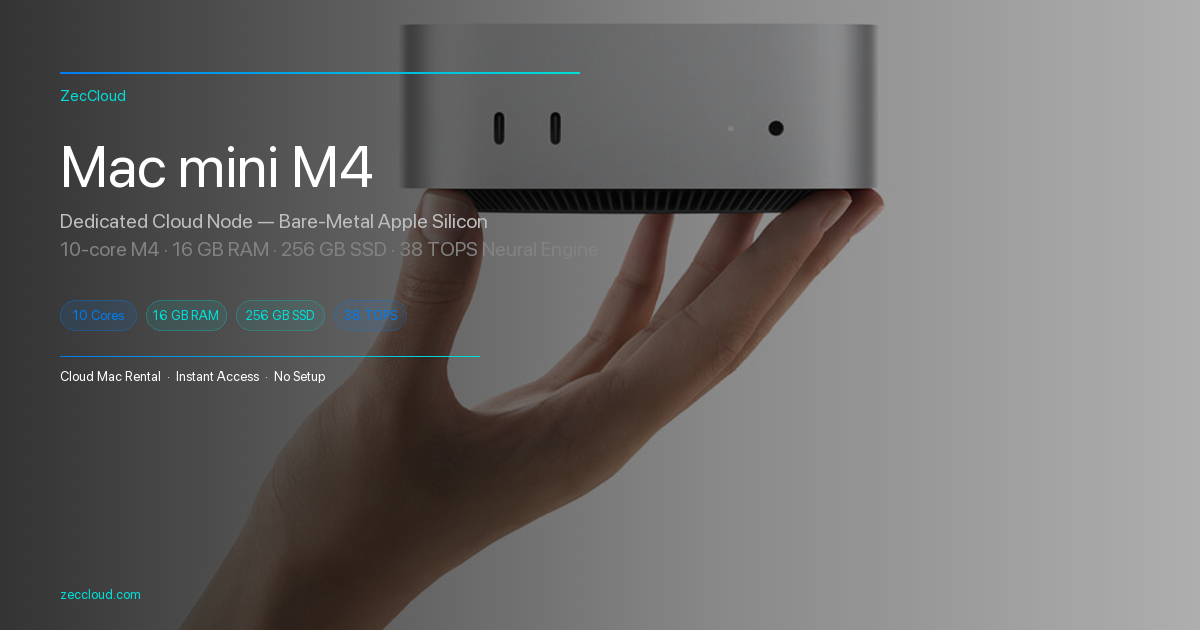
團隊有時會在常開的 Mac上執行 Gateway(而非筆電)——類似家庭伺服器 24/7 開機,透過 SSH 管理。遠端設定基礎見Mac mini M4 SSH 遠端存取指南;任選符合你安全模型的主機即可。
故障排除
錯誤 agent 回覆訊息
現象:工作訊息進了個人 agent。
修复:
- 執行
openclaw agents list --bindings,確認規則順序(peer 規則在前)。 - 確認 binding 中的
accountId與channels.whatsapp.accounts鍵一致。 - 重啟:
openclaw gateway restart。
認證或工作階段在 agent 間串線
現象:OAuth 或聊天在不同人格間混淆。
修复:確認每個 agentId 有唯一 agentDir。切勿讓兩個 agent 指向 ~/.openclaw/agents/main/agent。若 OAuth 誤共用,按 agent 重新登入:
openclaw channels login --channel whatsapp --account work
Gateway 啟動但頻道探測失敗
現象:openclaw channels status --probe 顯示未連線。
修复:重新綁定憑證,檢查 webhook 連接埠防火牆,並按OpenClaw 頻道指南確認權杖(Discord Message Content Intent、Telegram BotFather token 等)。
常見問題
agentId。回覆仍來自同一號碼;真正隔離通常需要每人一個 agent。見DM 拆分範例。tools.agentToAgent.enabled: true 且 allow 清單足夠嚴格時啟用。預設關閉,以防意外的跨人格工具呼叫。~/.openclaw/skills 載入技能;Claude Code 使用 /plugin install。部分社群工具有橋接(如 Understand Anything 的 install.sh openclaw)——請查閱各工具 README。結論
2026 年的 OpenClaw 多代理編排從 Gateway 起步:單一進程、多隔離 agent、由頻道到大腦的確定性 bindings。使用 openclaw agents add,設定 agents.list + bindings,重啟並探測——僅在路由 alone 不夠時再疊加 agent-to-agent 或外部編排器。
官方參考:多代理路由 · 倉庫:openclaw/openclaw。
相關閱讀
- Headroom 壓縮 90% 工具輸出:本地 Agent 加速(2026)
- Mac mini 執行 OpenClaw:8GB/16GB 記憶體、Swap 與統一記憶體優化(2026)
- Computex 2026:Intel Xeon 6+ 與鴻海萬兆機架,24 小時 Agent 底層(2026)
- 免費解鎖 Claude 同款三欄工作區:Hermes WebUI 自託管指南(2026)
- 2026 最佳 Claude Code 外掛排行
- Obra Superpowers Claude Code 完整教學(2026)
- 2026 最佳程式碼庫視覺化工具:看懂複雜專案
- Mac mini M4 SSH 遠端連線完整教學(2026)
- ZecCloud 說明文件