Best Claude Code Plugins in 2026 — Ranked and Reviewed
Claude Code ships with a plugin system that bundles skills, agents, hooks, and MCP servers into installable packages. As of 2026, Anthropic's official marketplace (claude-plugins-official) lists 100+ plugins — from language servers to GitHub integrations.
This guide ranks the 10 best Claude Code plugins for everyday development in 2026, scored on install friction, daily utility, and fit for Mac / iOS / full-stack workflows. All plugins install from the official marketplace via /plugin install {name}@claude-plugins-official unless noted.
How we scored: Each plugin earned points for (1) clear daily use case, (2) official marketplace availability, (3) low setup overhead, and (4) value on Apple Silicon Macs — including cloud Mac mini M4 setups where Claude Code runs over SSH.
Quick install: official marketplace
Before installing individual plugins, confirm the official marketplace is available:
/plugin marketplace add anthropics/claude-plugins-official
/plugin
Browse the Discover tab, or install directly:
/plugin install pr-review-toolkit@claude-plugins-official
After bulk changes, run /reload-plugins to refresh skills, agents, hooks, and MCP servers without restarting. Full reference: Claude Code plugin documentation.
Ranking table: top 10 plugins at a glance
| Rank | Plugin | Best for | Install command |
|---|---|---|---|
| 1 | pr-review-toolkit | Automated PR review on real diffs | /plugin install pr-review-toolkit@claude-plugins-official |
| 2 | feature-dev | Structured feature implementation | /plugin install feature-dev@claude-plugins-official |
| 3 | github | Issues, PRs, Actions from the terminal | /plugin install github@claude-plugins-official |
| 4 | swift-lsp | Swift / iOS symbol navigation on Mac | /plugin install swift-lsp@claude-plugins-official |
| 5 | commit-commands | Faster git commit / branch workflows | /plugin install commit-commands@claude-plugins-official |
| 6 | typescript-lsp | TS/JS type errors and go-to-definition | /plugin install typescript-lsp@claude-plugins-official |
| 7 | code-review | Focused diff review without full PR suite | /plugin install code-review@claude-plugins-official |
| 8 | playwright | Browser E2E tests driven by Claude | /plugin install playwright@claude-plugins-official |
| 9 | hookify | Custom lifecycle hooks (lint, notify, guard) | /plugin install hookify@claude-plugins-official |
| 10 | plugin-dev | Building and shipping your own plugins | /plugin install plugin-dev@claude-plugins-official |
#1 — pr-review-toolkit
Why it ranks first: Pull request review is where Claude Code saves the most calendar time. This plugin packages review-oriented skills and agents tuned for reading diffs, spotting regressions, and summarizing risk — without leaving the terminal.
Best for: Teams shipping iOS, backend, or monorepo changes several times per week.
Caveat: Pair it with the github plugin (#3) so Claude can fetch PR metadata and comments automatically.
#2 — feature-dev
Why it's #2: Greenfield and brownfield features need structure — scope, file plan, implementation order, test checklist. feature-dev encodes that workflow as invocable skills so sessions do not drift into unrelated edits.
Best for: Solo developers and small teams without a formal PM tool integration.
Mac note: On a rented Mac mini M4, feature-dev pairs well with long SSH sessions — the plugin keeps context scoped while Xcode builds run locally on Apple Silicon.
#3 — github
Why it's essential: Claude Code is terminal-native; the github plugin connects MCP tools to issues, pull requests, and repository context. It turns "paste the PR URL" into structured, repeatable fetches.
Best for: Any team on GitHub (majority of iOS and web shops).
Alternative: Use gitlab if your remote is self-hosted — same pattern, different MCP surface.
#4 — swift-lsp
Why iOS devs need it: Claude Code's default context is text-only. swift-lsp wires Apple's language server (sourcekit-lsp) so Claude sees symbols, types, and live diagnostics — critical for SwiftUI and Xcode projects.
Requirement: sourcekit-lsp available on the Mac (standard on macOS with Xcode CLI tools).
Cloud Mac tip: Install Xcode CLT on your cloud Mac mini once; swift-lsp then works identically to a local machine.
#5 — commit-commands
Why it matters: Git hygiene compounds. commit-commands adds slash workflows for conventional commits, branch naming, and pre-push checks — reducing "fixup: fixup: wip" history noise.
Best for: Developers who want consistent commit messages without memorizing formats.
#6 — typescript-lsp
Why web teams rank it top-5: React, Next.js, and Node backends dominate full-stack iOS shops. typescript-lsp gives Claude the same symbol-level awareness TypeScript developers expect in VS Code.
Pair with: feature-dev for full-stack features spanning Swift UI + TS API layers.
#7 — code-review
Difference from #1: Lighter-weight than pr-review-toolkit — useful for reviewing a single branch or staged diff before opening a PR. Install both only if you want granular vs. comprehensive review modes.
#8 — playwright
Why E2E made the list: UI regressions escape unit tests. The playwright plugin lets Claude drive real browsers — valuable for web dashboards and hybrid apps.
Not a replacement for Xcode UI tests on native iOS — use Simulator + xcodebuild for App Store apps.
#9 — hookify
Why power users install it: Hooks fire on session events (tool use, stop, subagent return). hookify simplifies authoring hooks that run linters, post to Slack, or block commits when tests fail.
Best for: Teams codifying guardrails after Claude Code adoption scales past 3 developers.
#10 — plugin-dev
Why it's last but vital: Once you rely on plugins #1–9, you will want team-specific skills (deploy runbooks, internal API patterns). plugin-dev scaffolds .claude-plugin/plugin.json, skills, hooks, and .mcp.json per Anthropic's plugin documentation.
Starter repo: anthropics/claude-plugins-official includes example-plugin as a reference implementation.
Honorable mentions (install if they match your stack)
| Plugin | When to add |
|---|---|
| pyright-lsp | Python ML, FastAPI, or data scripts alongside iOS |
| rust-analyzer-lsp | Rust CLI tools or cross-platform core libraries |
| security-guidance | Pre-release security pass on sensitive codebases |
| terraform | Infra teams managing cloud Mac fleets or CI runners |
| context7 | Up-to-date library docs injected into prompts |
| ralph-loop | Long-running autonomous task loops (advanced) |
Plugins vs skills vs MCP: what to install first
| Layer | What it does | Install priority |
|---|---|---|
| MCP plugin (e.g. github) | Live data from external services | High — unlocks real issues/PRs |
| LSP plugin (e.g. swift-lsp) | Code intelligence on Mac | High for compiled languages |
| Workflow plugin (e.g. feature-dev) | Repeatable multi-step builds | Medium — after MCP + LSP |
| Hooks plugin (e.g. hookify) | Automation on events | Low — after team adoption |
Official docs clarify the split: Extend Claude Code — features overview.
Running Claude Code on a cloud Mac mini
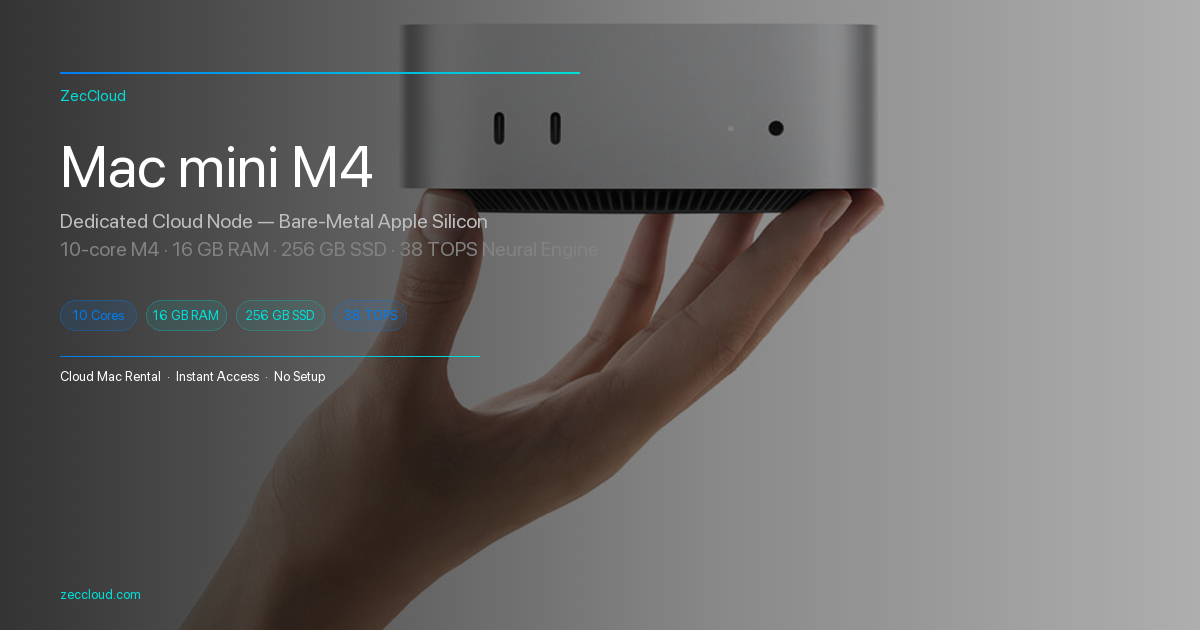
Many iOS teams rent a dedicated Mac mini M4 for CI and Claude Code sessions — same plugins, remote SSH entry. ZecCloud nodes start at $100.7/month with HK / Tokyo / Seoul / Singapore / US-East regions. See pricing and SSH setup.
FAQ
claude-plugins-official are free to install; you still pay for Claude API / subscription usage. Some external partner plugins may require their own SaaS accounts (e.g. monitoring tools).sourcekit-lsp, typescript-language-server) exist on the Mac./plugin marketplace update claude-plugins-official, then /reload-plugins. Pin versions in team docs if reproducibility matters.The best Claude Code plugins in 2026 are not exotic — they are the official marketplace staples that add PR review, GitHub context, language intelligence, and git discipline. Install the top three for your stack this week; add hookify and plugin-dev as your team customizes Claude Code into production workflow.
Run Claude Code on a Cloud Mac mini M4
Install the same official plugins on a dedicated Apple Silicon Mac over SSH. ZecCloud nodes from $100.7/month — HK, Tokyo, Seoul, Singapore, and US-East.